Screenshots
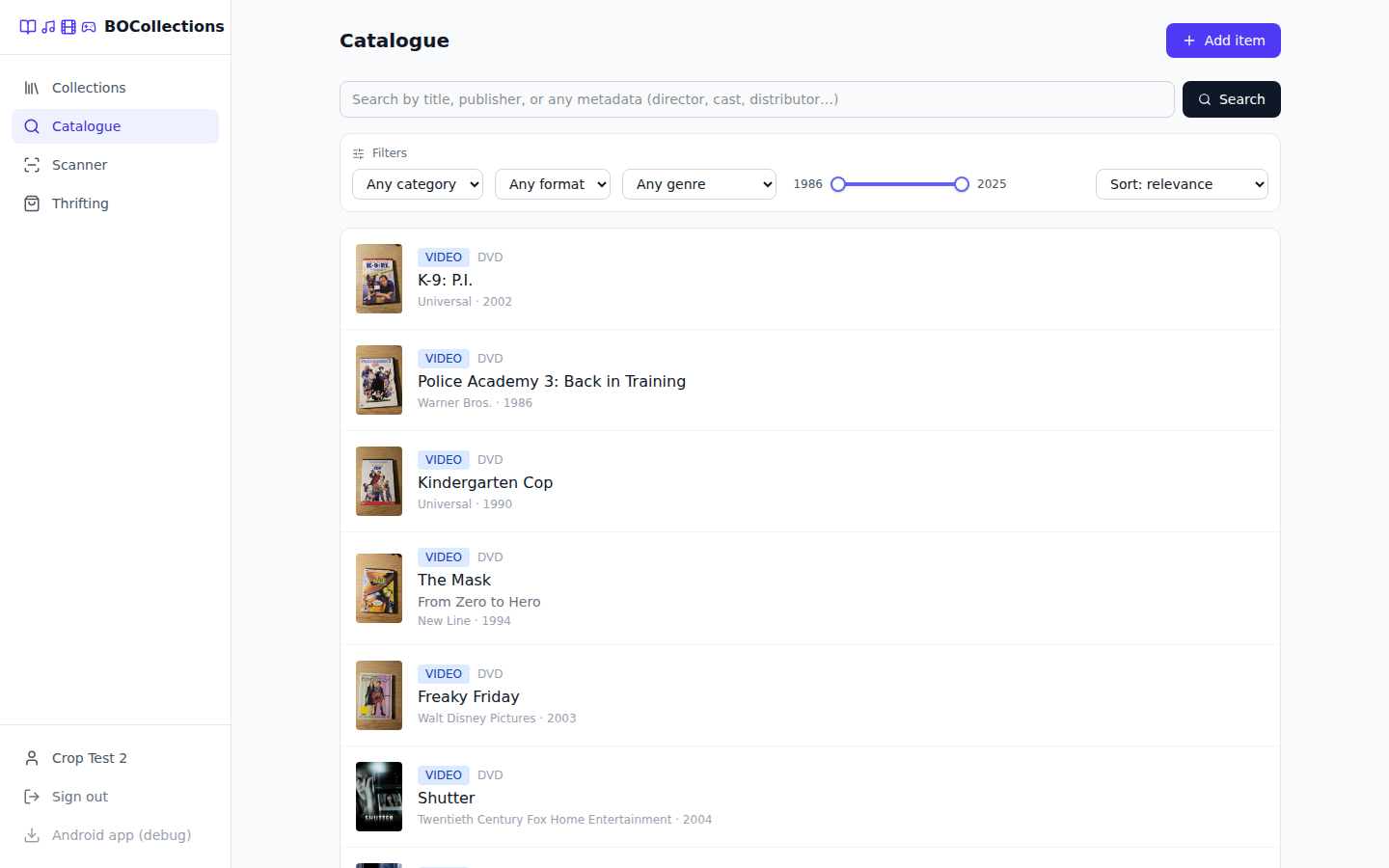
Open source
Self-hosted physical-media collection manager · point a camera at a shelf, not a spreadsheet.
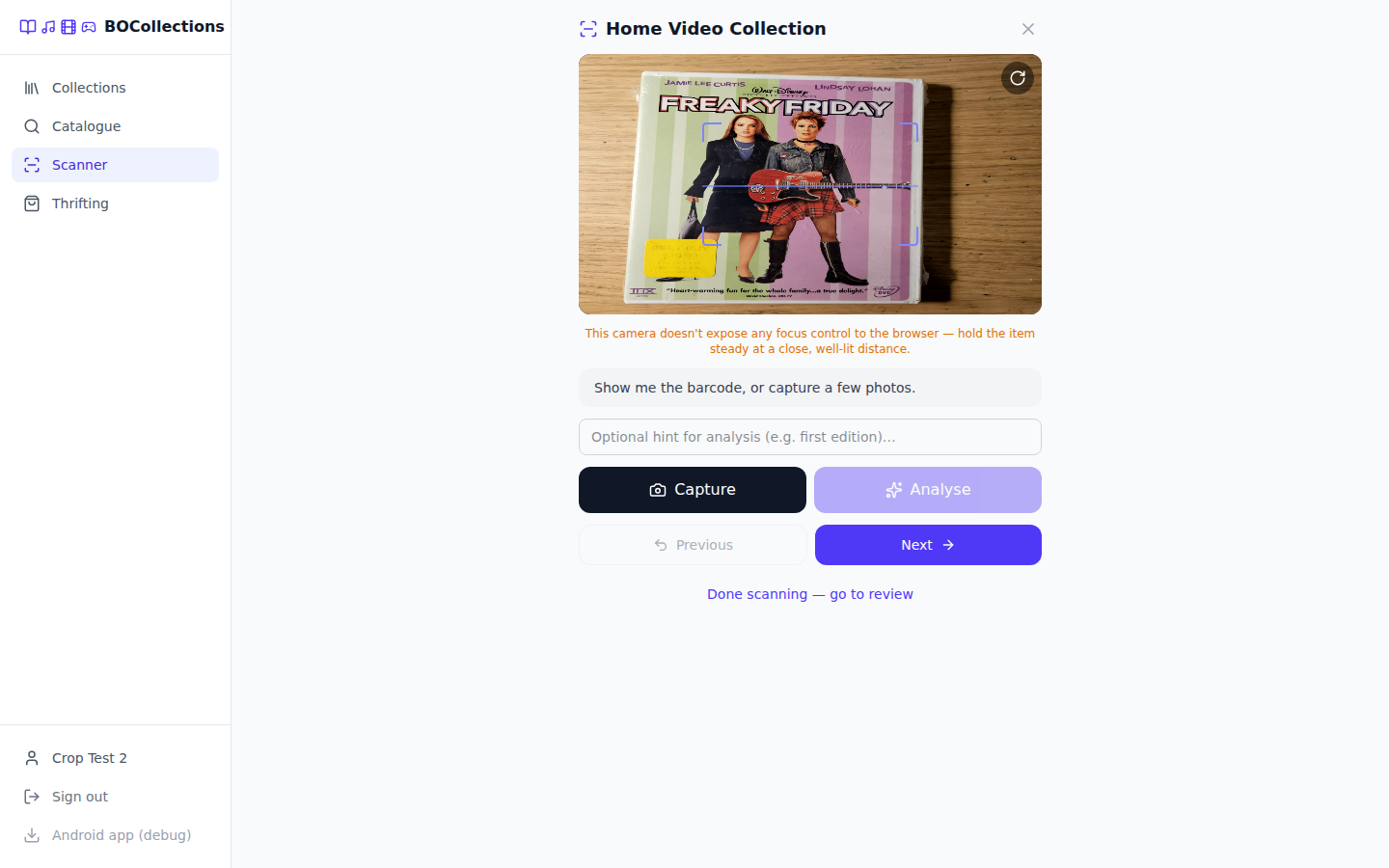
Books, vinyl, CDs, DVDs, VHS, video games — anything that lives on a shelf. Two moments drove every design decision: sitting at home with a box to catalogue, and standing in a thrift store with one hand on an item wondering "do I already own this?" Bulk scan mode handles the first, thrifting mode the second, and AI vision plus an eight-source barcode waterfall fill in whatever the barcode alone doesn't say.
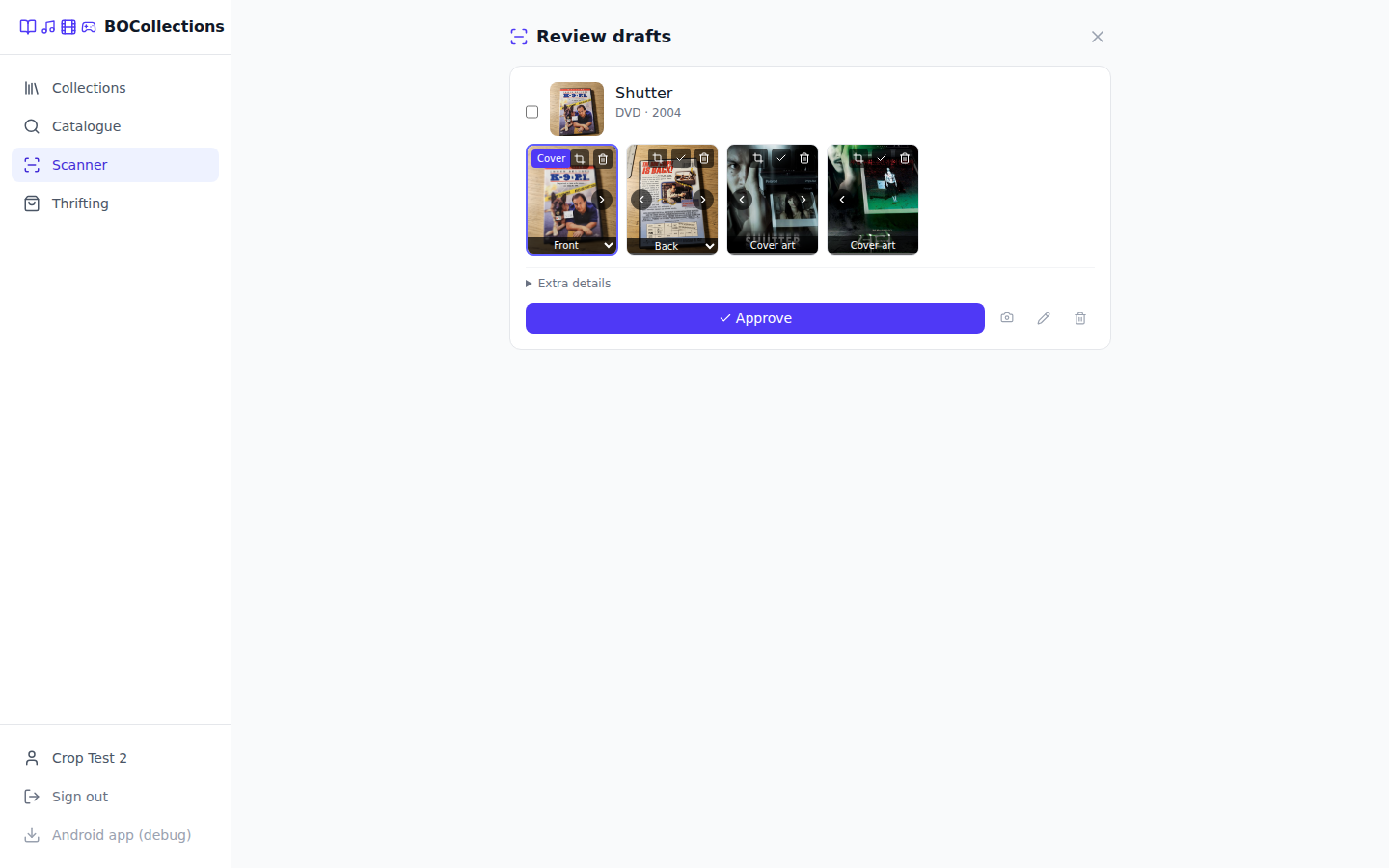
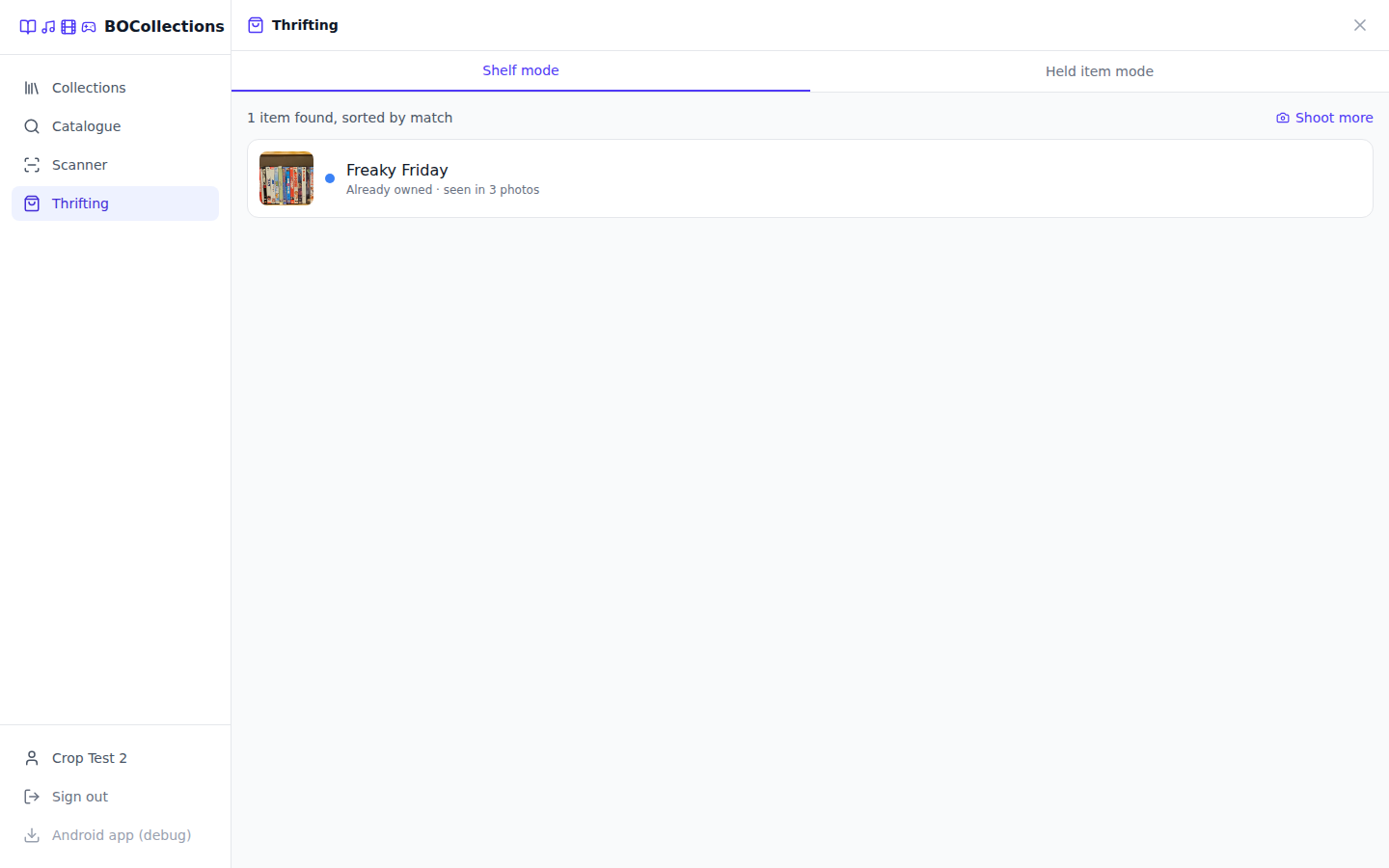
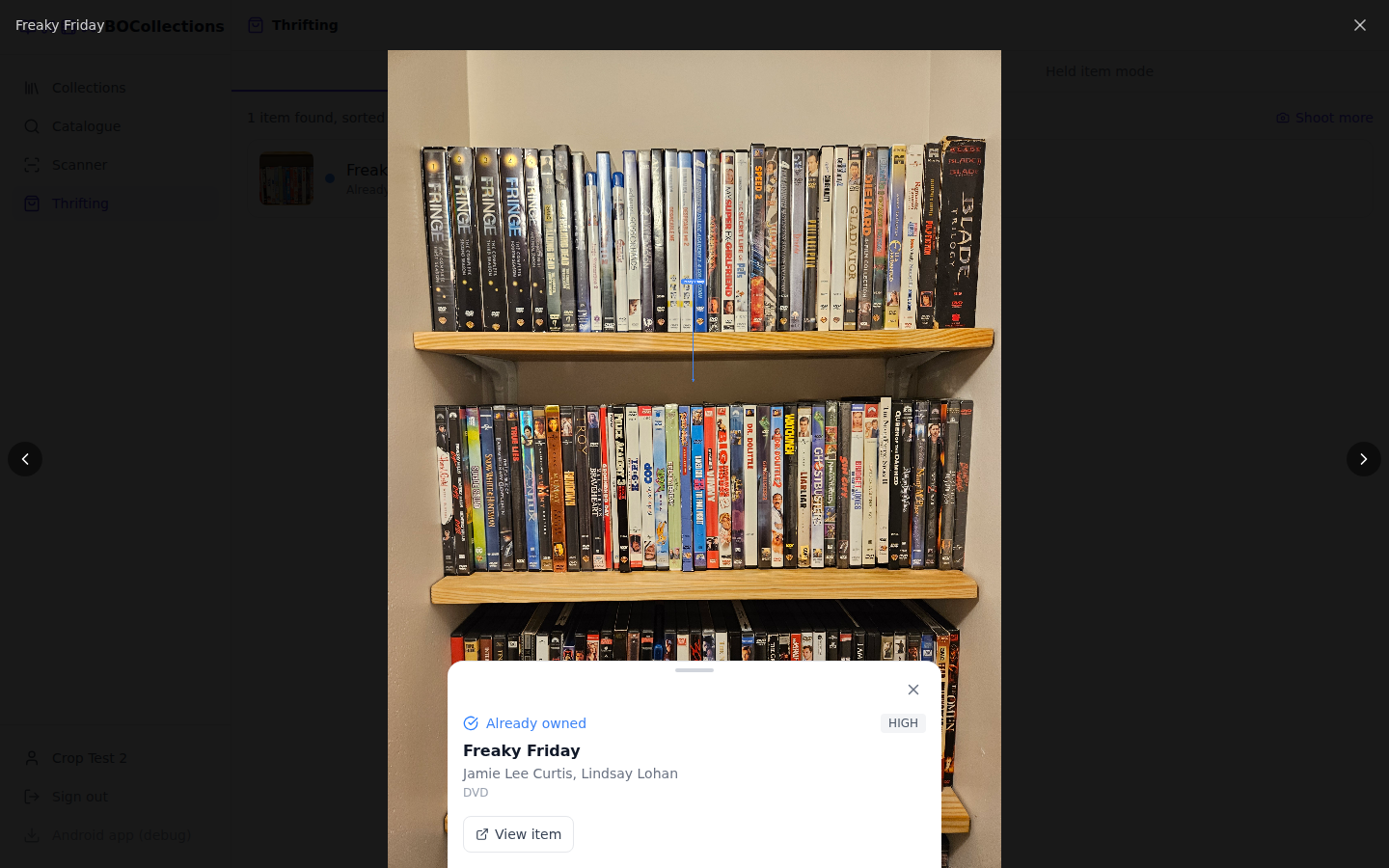
Most collection trackers assume you'll type. BOCollections assumes you'll point a camera. A bulk scan session moves a stack of physical items past the phone — capture front/back/spine, tap Analyse, tap Next — and never once blocks on the AI. A thrifting session answers one question fast enough to use standing in an aisle: photograph a whole shelf and get back a ranked list of everything on it, flagged as owned, a different edition, or just interesting given what you already collect.
Underneath, the catalogue is deliberately split from collections: an Item is one record per edition (a barcode), shared globally; a CollectionEntry is your actual copy, with its condition, price and shelf location. Two DVD pressings of the same film are legitimately different Items — the same disc scanned twice is not.
Spring Boot 4 on Java 21, React 19 + Tailwind 4, PostgreSQL, and the same frontend shipped as a native Android app via Capacitor. Installs onto a Proxmox LXC in one command, or runs on Docker Compose.
Everything else in the app — the catalogue, collections, filters, export — exists to make what these two capture actually useful afterwards.
%%{init: {'theme': 'base', 'themeVariables': {'fontSize': '13px', 'fontFamily': 'Inter, ui-sans-serif, sans-serif', 'lineColor': '#a5b4fc', 'primaryTextColor': '#e2e4ea', 'primaryColor': '#1e2330', 'primaryBorderColor': '#6366f1', 'secondaryColor': '#252b3b', 'tertiaryColor': '#181c26', 'background': '#0d0f14', 'clusterBkg': '#181c26', 'clusterBorder': '#374151', 'titleColor': '#e2e4ea'}}}%%
flowchart TD
    start(["New item"])
    start --> q1{"At home,\ncataloguing a batch?"}
    q1 -->|yes| bulk["Bulk scan mode\nsession · Capture → Analyse → Next\nreview drafts, approve into a collection"]
    q1 -->|no, in a store| q2{"Checking if you\nalready own it?"}
    q2 -->|yes| thrift["Thrifting mode\nshelf photo or held item\nOWNED / DIFFERENT_VERSION / INTERESTING"]
    q2 -->|no, adding one\nknown item| manual["Manual entry\nitem edit form"]
The single AI vision call per item is the slowest step in the flow — sometimes tens of seconds. Early on, Next blocked on it, which is exactly the dead time bulk-scan mode exists to eliminate. Now a lightweight batch token tracks which in-progress item a running analysis belongs to, so a late result gets routed as a background patch onto the draft that item became — never onto whatever's currently on screen.
%%{init: {'theme': 'base', 'themeVariables': {'fontSize': '13px', 'fontFamily': 'Inter, ui-sans-serif, sans-serif', 'lineColor': '#a5b4fc', 'primaryTextColor': '#e2e4ea', 'primaryColor': '#1e2330', 'primaryBorderColor': '#6366f1', 'secondaryColor': '#252b3b', 'tertiaryColor': '#181c26', 'background': '#0d0f14', 'clusterBkg': '#181c26', 'clusterBorder': '#374151', 'titleColor': '#e2e4ea'}}}%%
sequenceDiagram
    participant U as User
    participant UI as Capture UI
    participant API as Backend

    U->>UI: Capture front/back/spine, tap Analyse
    UI->>API: extract (async, backgrounded)
    U->>UI: tap Next (doesn't wait)
    Note over UI: Draft #1 created from
whatever's known so far
    U->>UI: capture item #2, Analyse, Next...
    API-->>UI: vision result for item #1 arrives late
    UI->>API: PATCH Draft #1 with the result
    Note over API: Only fills fields Draft #1 lacks —
a barcode match always wins
%%{init: {'theme': 'base', 'themeVariables': {'fontSize': '13px', 'fontFamily': 'Inter, ui-sans-serif, sans-serif', 'lineColor': '#a5b4fc', 'primaryTextColor': '#e2e4ea', 'primaryColor': '#1e2330', 'primaryBorderColor': '#6366f1', 'secondaryColor': '#252b3b', 'tertiaryColor': '#181c26', 'background': '#0d0f14', 'clusterBkg': '#181c26', 'clusterBorder': '#374151', 'titleColor': '#e2e4ea'}}}%%
flowchart LR
    detect["AI identifies an item\nin a shelf or held-item photo"] --> match{"Title matches something\nin your collections?"}
    match -->|exact edition| owned["OWNED"]
    match -->|same title,\ndifferent edition| diff["DIFFERENT_VERSION"]
    match -->|no| taste{"Scored against your\ntaste profile"}
    taste -->|above threshold| interesting["INTERESTING"]
    taste -->|below, or not enough\ncollection data| notowned["NOT_OWNED"]
One Spring Boot API behind two clients that share a codebase, with the vision layer and the barcode-lookup waterfall as the two places all the interesting failure handling lives.
%%{init: {'theme': 'base', 'themeVariables': {'fontSize': '13px', 'fontFamily': 'Inter, ui-sans-serif, sans-serif', 'lineColor': '#a5b4fc', 'primaryTextColor': '#e2e4ea', 'primaryColor': '#1e2330', 'primaryBorderColor': '#6366f1', 'secondaryColor': '#252b3b', 'tertiaryColor': '#181c26', 'background': '#0d0f14', 'clusterBkg': '#181c26', 'clusterBorder': '#374151', 'titleColor': '#e2e4ea'}}}%%
flowchart TB
    subgraph client["Clients — one React codebase"]
        web["React 19 SPA\nVite · TypeScript · Tailwind 4 · Zustand"]
        android["Native Android app\nCapacitor + ML Kit scanner"]
    end

    subgraph server["Backend — Spring Boot 4 / Java 21"]
        api["REST API :8080/api\nJWT auth"]
        vision["Vision layer\nOllama / Gemini, failover-ordered"]
        lookup["Barcode lookup waterfall\n+ ResolvedBarcode cache"]
        storage["StorageService\nlocal disk or S3"]
        sched["Scheduled JSON backup"]
    end

    subgraph data["Data"]
        pg[("PostgreSQL")]
        redis[("Redis")]
        mq[("RabbitMQ")]
        disk[["Photos on disk / S3"]]
    end

    subgraph external["External"]
        ollama["Ollama\nself-hosted vision model"]
        gemini["Gemini API"]
        metadata["Open Library · Discogs · MusicBrainz\nUPCitemdb · TMDB · IGDB\neBay · TheGamesDB"]
    end

    web -->|HTTPS/JSON| api
    android -->|HTTPS/JSON| api
    api --> vision
    api --> lookup
    api --> storage
    api --> pg
    api --> redis
    api --> mq
    vision --> ollama
    vision --> gemini
    lookup --> metadata
    storage --> disk
    sched --> pg
Item row, referenced by however many CollectionEntry rows point at it. Deleting a collection cleans up items left with zero references, but never touches one another collection still points to. Duplicate editions surface as a hint (duplicates[]), not an error — "you also have this on Blu-ray" is information, not a conflict.
VisualScanService builds its Ollama/Gemini clients directly rather than via Spring AI autoconfiguration, driven by a list-typed app.vision.endpoints property with an optional primary: true that jumps one to the front of the queue. Endpoints are tried in order; when every one fails, callers get visionAvailable: false and fall back to manual entry — no error state, no dead end.
ResolvedBarcode cache carries a TTL on misses only — a real match is correct forever, but a miss might just be a transient upstream outage. A repeated scan of the same barcode, across sessions or across users, never re-pays the external API cost.
INTERESTING tier instead of being folded into the hard ownership answer.
Specifications — except for genre/free-text and revenue sorting, which live inside the metadata JSONB column that Hibernate's Criteria API can't cast to text, and are resolved as an id IN (...) predicate or an in-memory sort instead.
getUserMedia are two independent camera clients — running both, or switching without a clean handoff, causes real hardware contention (a black screen needing an app restart, confirmed on-device). Every flow needing both follows the same sequence: pauseDetector → startCamera → captureFrame → stopCamera → resumeDetector, with a settle delay around the boundary for the OS to actually release the camera.
Every item carries a category and a format, plus a metadata
JSONB catch-all for the category-specific fields — a vinyl's tracklist, a game's platform, a
film's cast and box-office gross — that don't fit one shared column set across five media types.
| Category | Example formats |
|---|---|
PRINT |
Book, Magazine, Newspaper, Comic, Manga, Zine |
AUDIO |
CD, Vinyl LP, Vinyl Single, Cassette Tape, 8-Track, MiniDisc |
VIDEO |
DVD, Blu-ray, VHS, LaserDisc, HD-DVD, UMD, Betamax |
GAME |
Game Cartridge, Game Disc, Game Cassette, Floppy Disk |
OTHER |
Catch-all |
%%{init: {'theme': 'base', 'themeVariables': {'fontSize': '13px', 'fontFamily': 'Inter, ui-sans-serif, sans-serif', 'lineColor': '#a5b4fc', 'primaryTextColor': '#e2e4ea', 'primaryColor': '#1e2330', 'primaryBorderColor': '#6366f1', 'secondaryColor': '#252b3b', 'tertiaryColor': '#181c26', 'background': '#0d0f14', 'clusterBkg': '#181c26', 'clusterBorder': '#374151', 'titleColor': '#e2e4ea'}}}%%
flowchart LR
    scan(["Barcode scanned"]) --> own{"Already in\nown catalogue?"}
    own -->|yes| hit(["existingItemId\nno external cost"])
    own -->|no| kind{"ISBN or UPC?"}
    kind -->|ISBN| ol["Open Library\nPRINT"]
    kind -->|UPC| dg["Discogs\nAUDIO"]
    dg -->|miss| mb["MusicBrainz\nAUDIO, 1 req/s"]
    mb -->|miss| upc["UPCitemdb\nbarcode → bare title"]
    upc --> tmdb["TMDB\nVIDEO"]
    tmdb -->|miss| igdb["IGDB\nGAME"]

    subgraph art["Cover-art enrichment, layered on whichever matched"]
        ebay["eBay listing photos\nVIDEO / GAME"]
        tgdb["TheGamesDB\nfront + back box art"]
    end

    ol --> art
    dg --> art
    tmdb --> art
    igdb --> art
Real product photos are layered in as extra cover candidates on top of whatever source matched, so the default cover ends up being a photo of the physical item rather than TMDB's promotional poster art whenever one is available.
One command onto a fresh Proxmox host — and the same one updates it
Built on the community-scripts/ProxmoxVE
conventions: creates an unprivileged Debian 13 LXC and installs Temurin JDK 21, PostgreSQL,
Redis, RabbitMQ and nginx (serving the frontend build, reverse-proxying /api).
The jar and frontend bundle are pulled pre-built from Cloudflare R2 rather than compiled
inside the container. Updating works from inside (update)
or outside (pct exec <CTID> -- update) — either path
checks R2's latest.txt against the installed version
and no-ops when already current.
Vision is off by default on the LXC — deliberately
Getting a GPU-backed vision model running inside an LXC is its own project. The install
ships with vision disabled and expects you to point OLLAMA_BASE_URL
at an Ollama server you already run, or wire up a Gemini endpoint. Everything except AI
identification works unchanged without it — barcode scanning, the lookup waterfall,
manual entry, filtering, export.
Browser requirements, and why the Android app exists
Web barcode detection uses the native BarcodeDetector API — Chrome/Edge 83+, with Firefox and Safari falling back gracefully to guided-capture-only mode. The Capacitor-wrapped Android app exists for exactly one reason: ML Kit is meaningfully more reliable at actually reading a barcode in hand than a browser tab is, and that's worth a real app wrapper rather than asking mobile users to live with the weaker fallback.