Project deep-dive

Pico Deskflow Bridge

One keyboard and mouse · across two networks that never meet.

A Raspberry Pi Pico 2 W that plugs into the computer running a Deskflow server as a USB network adapter, joins as an ordinary Deskflow client, and forwards the input to a laptop as a Bluetooth keyboard and mouse. Nothing is installed on either computer, and neither needs to reach the other's network, so a locked-down work machine can share its keyboard with a personal laptop.

Overview

Deskflow shares a keyboard and mouse between machines, but it needs them on the same network. Here the two computers only share a cable: the Pico appears to the Deskflow server as a network adapter at 192.168.77.2, which it hands out over DHCP with no router or DNS, so the server's normal traffic keeps going wherever it went. Deskflow connects to the Pico as it would to any client, and the Pico turns the events into Bluetooth LE HID reports for a laptop that sees a plain keyboard and mouse.

The firmware is Rust on Embassy. It speaks the Deskflow protocol with TLS 1.3, remembers up to four laptops (one active at a time, switched from the page or with Ctrl+Alt+1…4), types the server's clipboard out as keystrokes in six keyboard layouts, and serves a settings page over the USB link with diagnostics, a password option, a live log, and firmware updates that roll back if they don't come up.

Also ships optional buttons and LEDs (with a virtual copy on the page), and runs on both the Pico 2 W and the original Pico W.

1.3ms Average time a mouse move spends in TLS decryption on the second core, measured on the Pico 2 W at 200 MHz
425B Inbound backlog during fast mouse movement at 200 MHz; at 150 MHz it pinned at the 2 KB buffer and long drags lagged
118 Host tests, including real TLS 1.3 handshakes against OpenSSL, run in CI on every push

The settings page

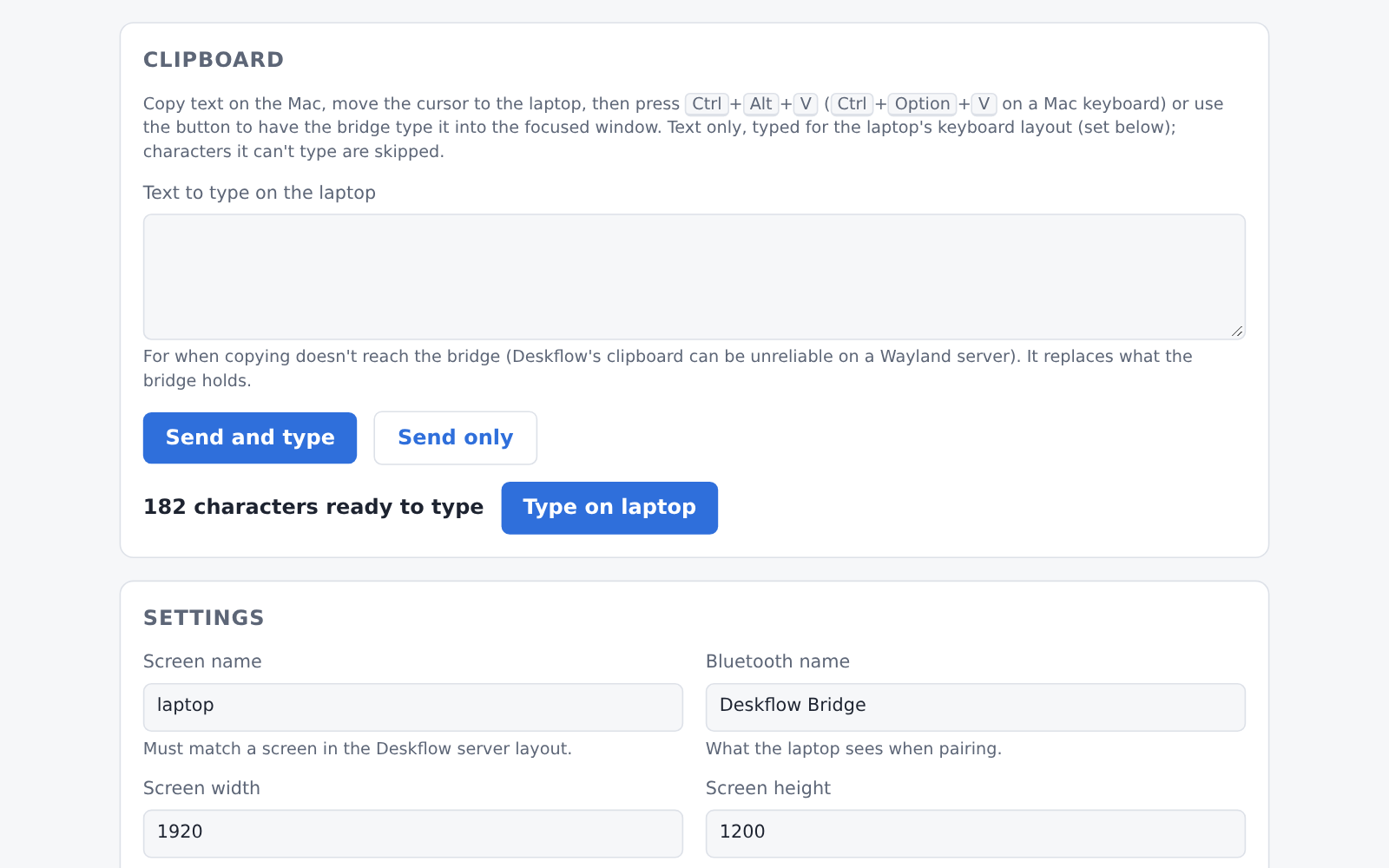
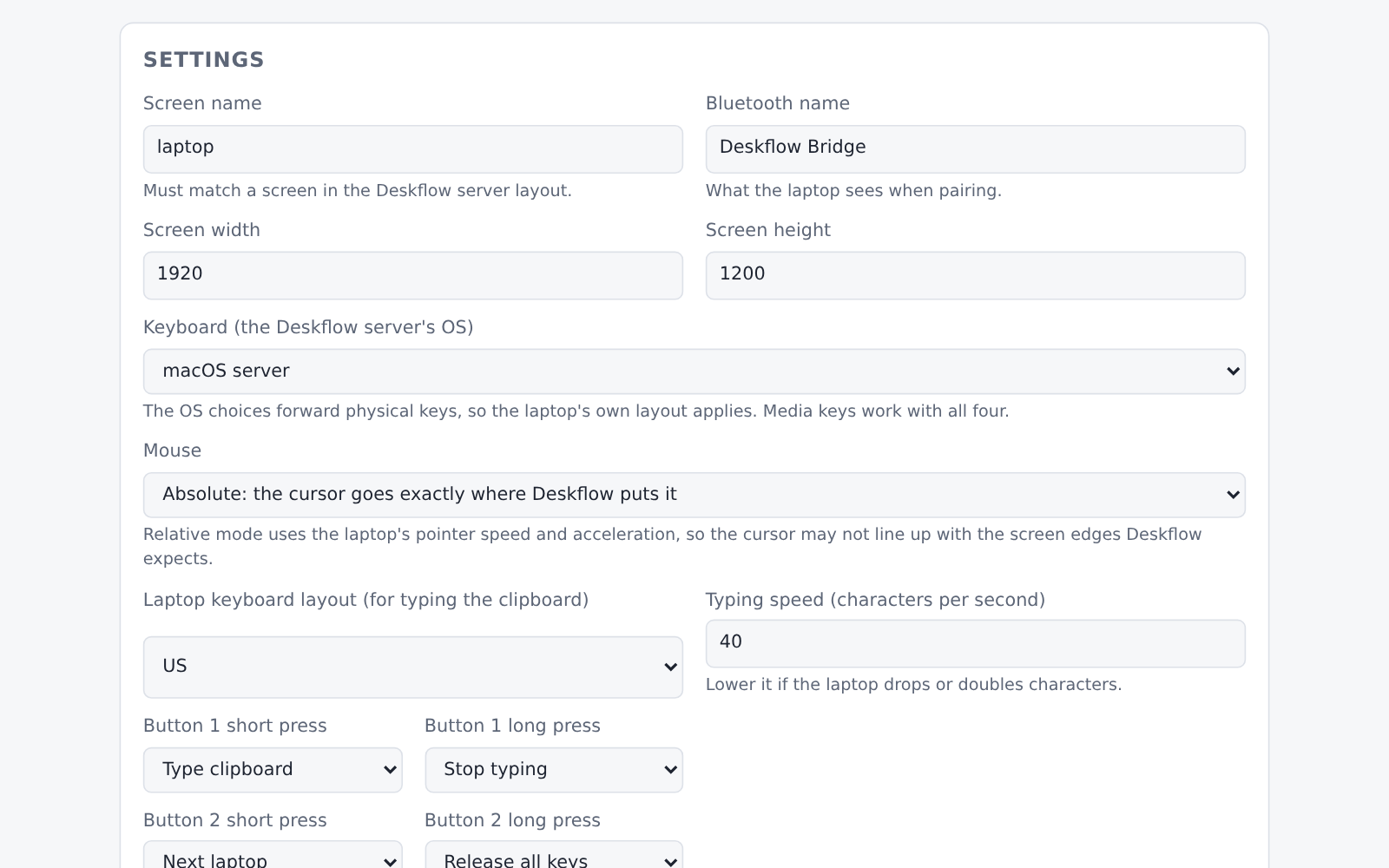
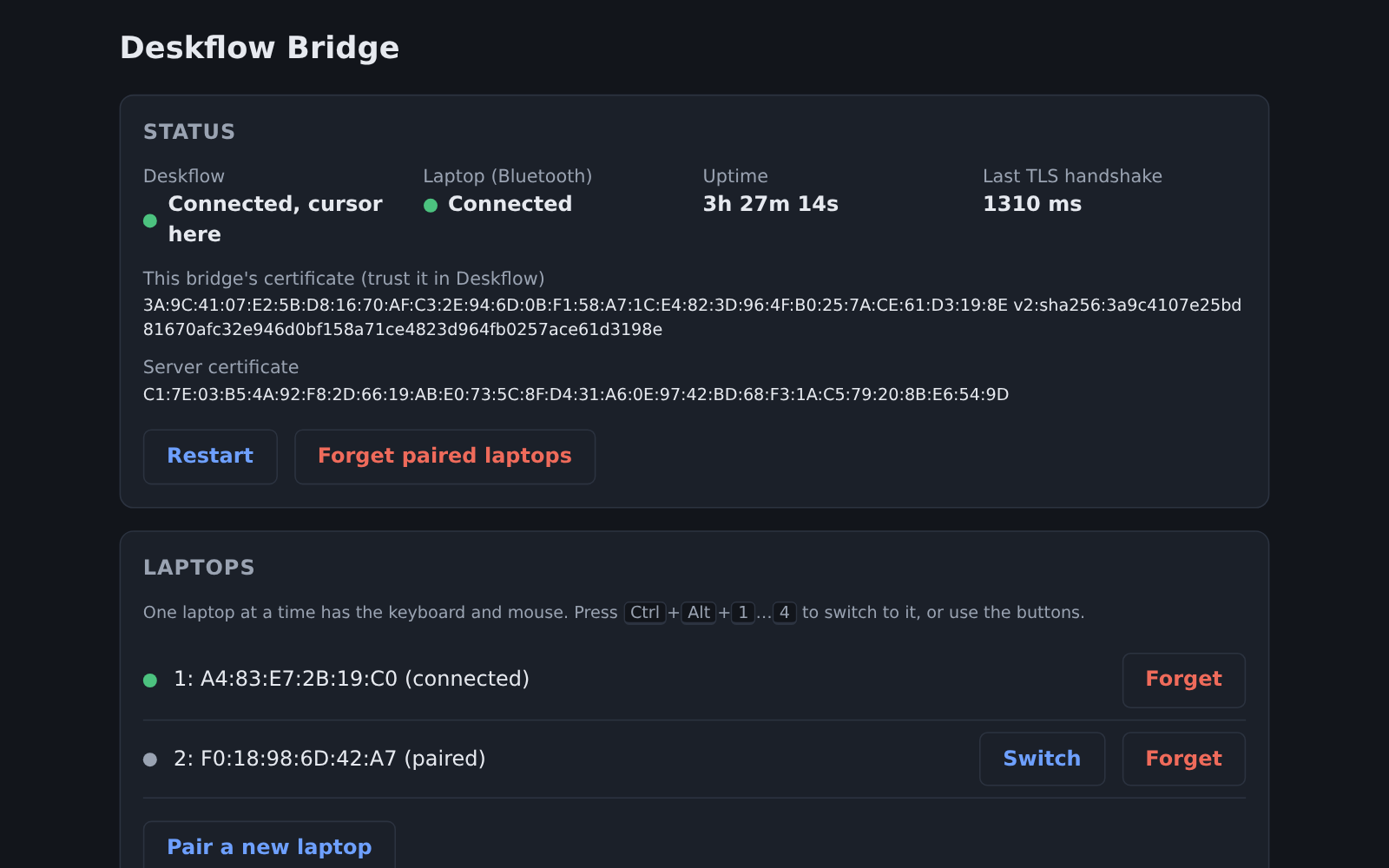
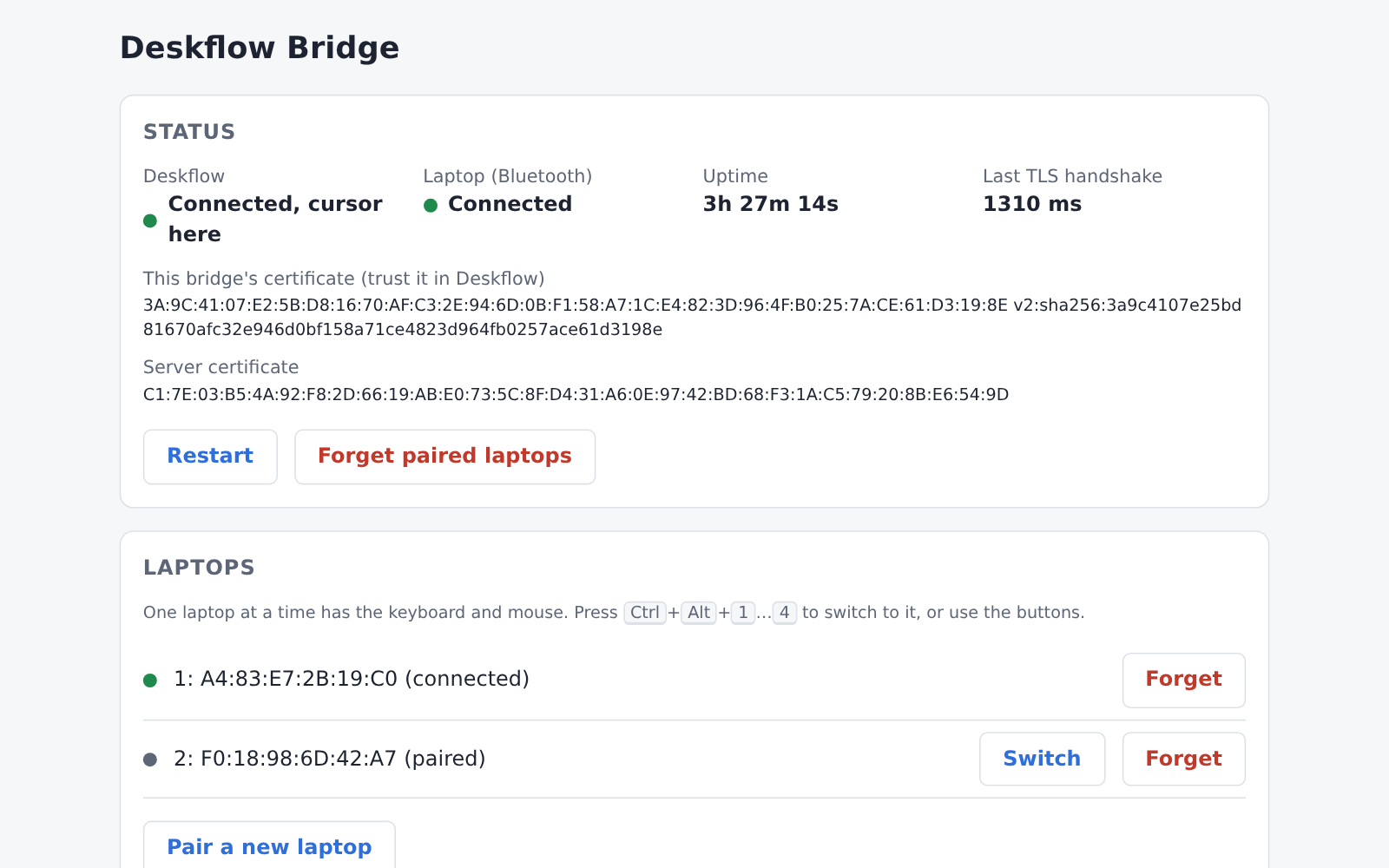
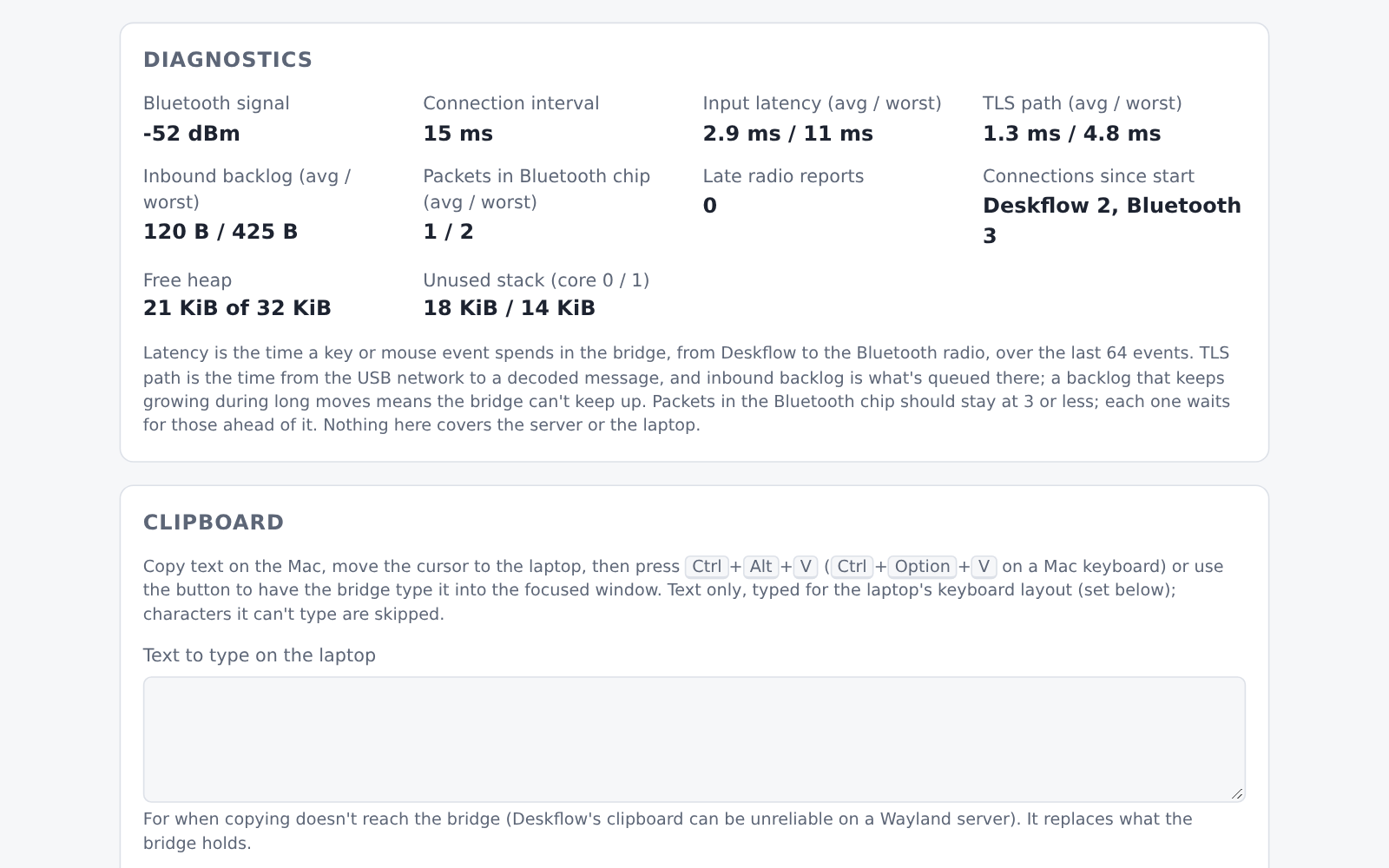
Served by the Pico itself at http://192.168.77.1/, only over the USB cable, as one embedded HTML file with no framework. These are the real page against a mock of the device's API, so the values are illustrative, not a recording.

Status and laptops — Deskflow and Bluetooth state, both TLS fingerprints, the paired laptops with Switch / Forget Diagnostics — Bluetooth signal and interval, input latency, TLS path, inbound backlog, packets in the radio chip Clipboard — typed out on the laptop, with a text box for servers whose clipboard never arrives Settings — screen, keyboard, mouse mode, clipboard layout and speed, button actions, TLS pinning Dark mode — the page follows the system theme
Status and laptops — Deskflow and Bluetooth state, both TLS fingerprints, the paired laptops with Switch / Forget (click to expand)
Status and laptops — Deskflow and Bluetooth state, both TLS fingerprints, the paired laptops with Switch / Forget Diagnostics — Bluetooth signal and interval, input latency, TLS path, inbound backlog, packets in the radio chip Clipboard — typed out on the laptop, with a text box for servers whose clipboard never arrives Settings — screen, keyboard, mouse mode, clipboard layout and speed, button actions, TLS pinning Dark mode — the page follows the system theme

Architecture

One dual-core chip does four jobs at once: a USB network adapter, a Deskflow client, a Bluetooth peripheral and a web server. The second core is reserved for TLS.

%%{init: {'theme': 'base', 'themeVariables': {'fontSize': '13px', 'fontFamily': 'Inter, ui-sans-serif, sans-serif', 'lineColor': '#a5b4fc', 'primaryTextColor': '#e2e4ea', 'primaryColor': '#1e2330', 'primaryBorderColor': '#6366f1', 'secondaryColor': '#252b3b', 'tertiaryColor': '#181c26', 'background': '#0d0f14', 'clusterBkg': '#181c26', 'clusterBorder': '#374151', 'titleColor': '#e2e4ea'}}}%%
flowchart TD
    A(["Deskflow server\nmacOS · Windows · Linux"])

    subgraph pico["Pico 2 W — RP2350 + CYW43439"]
        U["USB CDC-NCM\nDHCP · settings page · serial log"]
        D["Deskflow client (core 0)\nprotocol · key and mouse mapping"]
        T["TLS 1.3 session (core 1)\nsoftware AES-GCM"]
        H["Bluetooth LE HID\nTrouBLE · flow control · pairing"]
        F[("Flash\nsettings · bonds · TLS key")]
        BL["embassy-boot\nswap · rollback"]
    end

    L(["Laptop\nup to 4 paired, 1 active"])

    A <-->|"USB"| U
    U --> D
    D <-->|"ciphertext"| T
    D -->|"HID reports"| H
    H -->|"BLE"| L
    H -.-> F
    BL -.->|"boots, rolls back"| D
        

Design decisions

Physical keys, not characters Each key is forwarded as its position on the keyboard, not the character it types, so the laptop's own layout applies and Alt shortcuts behave. macOS, Windows and Linux servers number their keys differently (macOS keycode + 1, Windows scan codes with an E0 flag, Linux evdev + 8), so each has its own table, and a test checks that the same physical key lands on the same HID usage from all three.
TLS runs on the second core Deskflow's TLS handshake blocks long enough to make USB enumeration time out. Offloading only the crypto calls wasn't enough, because the TLS library does its own key exchange, so core 1 runs the whole connection and core 0 keeps the network stack, piping ciphertext across. A host build stands a thread in for core 1 and runs the same module against openssl s_server in CI.
Mouse moves are merged, not queued Deskflow produces moves faster than a Bluetooth link can carry them, and a queue turns that into lag that grows with every long drag. Moves merge into a single slot and go out only while the radio chip holds fewer than two packets. The Bluetooth host hides its own credit count, so the firmware wraps the HCI transport and watches the controller's “packets completed” reports itself.
An overclock, justified by a measurement At 150 MHz the software AES-GCM on core 1 couldn't keep up with a fast mouse: the inbound backlog sat pinned at its 2 KB buffer. At 200 MHz and 1.15 V it settled at 425 B with a 1.3 ms TLS path, measured on the device. The radio's SPI divider changed with it, to keep the CYW43 at its stock 25 MHz.
An update path that can't brick the board A bootloader built on embassy-boot swaps in an uploaded image, and the new firmware has to prove itself, by serving the settings page or connecting to Deskflow, within five minutes or the old one comes back. A watchdog covers a hang. The update is written a sector at a time, because erasing the whole slot at once stalls USB.
No debugger, so boot reports its own progress With no debugger probe attached, a build that never brought up USB had no logs to read. Test images rebooted into the ROM's USB bootloader at successive startup stages, so the drive reappearing proved how far boot got. That narrowed it to a 1-byte buffer where the bootloader library needs 4: a panic on every boot, followed by a silent watchdog reset loop.
Logic lives in a crate the host can test Protocol parsing, key and mouse mapping, TLS glue, clipboard typing, settings parsing and the web page's request handling are in a no_std crate with 118 host tests, including real TLS 1.3 handshakes against OpenSSL. The firmware only connects hardware to it, which keeps a device you can only flash and watch over USB tractable.
What has run on hardware

The project says what it hasn't verified as plainly as what it has; the README and the hardware checklist in the repository keep the same list.

Verified on a Pico 2 W

Against a Deskflow server on Linux (Wayland), with an Arch Linux (X11) laptop and a Windows machine as the Bluetooth side: USB networking, pairing and switching between laptops, TLS with pinning, keys, absolute and relative mouse, the clipboard text box and the settings page. The fast-mouse numbers above come from this setup.

Builds and tests, not yet run

The Pico W (RP2040) shares all the code and builds in CI, but hasn't been run on a board. The buttons and LEDs are covered by host tests, and the wiring hasn't been built. macOS and Windows servers use key tables checked against Deskflow's source and tested on the host, not against a real Mac or Windows server.

Updates from the page

The bootloader and first boot work on the device. The upload, swap and rollback paths are written and covered by host tests, but haven't had their full run on hardware yet.

Tech Stack

Firmware

  • Rust (no_std)
  • Embassy (executor, USB, net)
  • TrouBLE BLE host
  • cyw43 radio driver
  • embassy-boot

Protocol crate

  • Deskflow client codec
  • embedded-tls (TLS 1.3)
  • RustCrypto
  • Host tests + OpenSSL interop

Hardware

  • Raspberry Pi Pico 2 W (RP2350)
  • Pico W (RP2040)
  • CYW43439 Wi-Fi / Bluetooth
  • Optional buttons and LEDs

Tooling

  • GitHub Actions CI
  • Python UF2 converter
  • Cloudflare R2 snapshots and releases
  • Keyboard layouts from xkeyboard-config
Back to portfolio